

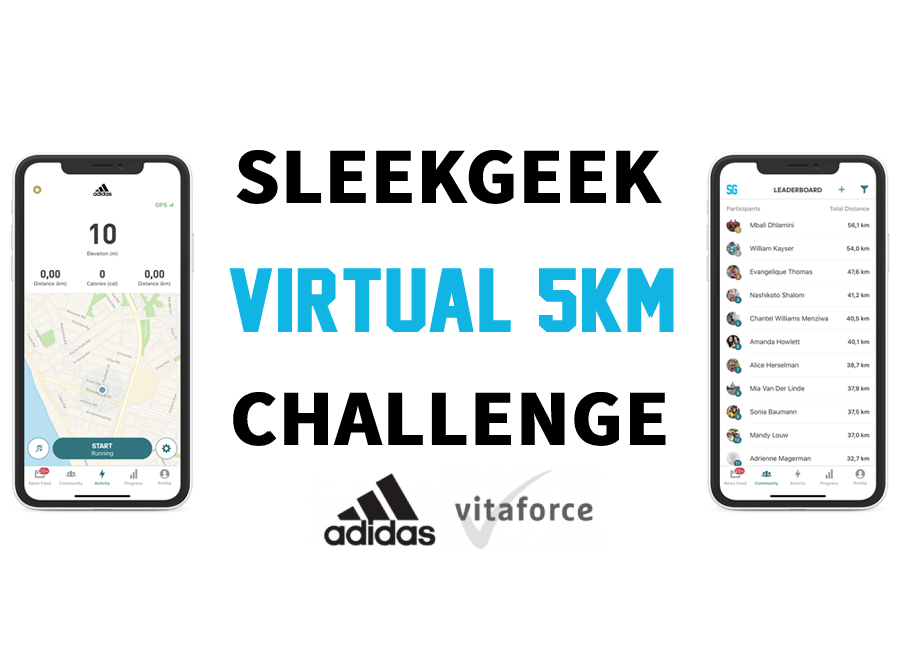
Congratulations on registering for the monthly Sleekgeek Virtual 5KM Challenge!
You’re now be eligible to stand a chance of winning incredible prizes from our sponsors adidas and Vitaforce.
Whether you run, jog or walk your kms over the month period all counts.
Invite your friends using the link https://www.sleekgeek.co.za/5km thanks! The more the merrier.
Here’s what happens next:
(These instructions have also been emailed to the address you signed up with for your safe keeping)

Step 1 – Download the app:
This is required in order to log your runs for the challenge.
Download the free adidas Running App for iOS or Android.
Or scan the QR code.
Step 2 – Join the leaderboard:
To score entries into the lucky draw you must join the Sleekgeek Monthly Virtual 5km Leaderboard on the adidas Running App.
To do that first you need to download and install the adidas Running App from your app store and create an account. THEN you can click this link to join the leaderboard.
Or visit: https://www.runtastic.com/groups/sleekgeek-monthly-virtual-5km?share_locale=en&utm_source=runtastic.lite&utm_medium=ios&utm_campaign=user_generated_sharing&utm_content=group.runtastic
This is required in order for your runs to be added to the leaderboard and increase your chance of winning.
Step 3 – Log your runs and walks:
Log your runs and walks.
Please note that if you are walker you MUST STILL record your activity in the app as a “RUN” and not a walk for it to count towards the leaderboard.
Every time you go for a run:
- Open up the adidas Running App.
- Click on the “Activity” tab .
- Click “Start Running” to log your run. (Even if you are walking. If it is not set to running as the default activity then click the settings “cog” icon at the bottom right to set your activity.
- Optional: Once done, you’ll be able to share the stats for your run (and even add a selfie). We’d love to see it in the Sleekgeek Running Group on Facebook which is free to join.
Every 5km that you log during the month of the virtual 5km will count towards your chance of winning amazing prizes in that month.
5km is 1 entry, 10km is 2 entries, 100km is 20 entries, etc.
It doesn’t matter what distance you run each day, it all adds up over the month. You can do 5km a day if you’d like. Or 2km one day and 3km the next. Or 20km all in one day. It’s up to you.
Step 4 – Track your progress:
Track your progress on the leaderboard:
Once you’ve joined the Sleekgeek Monthly Virtual 5km on the adidas Running App, you’ll be able to view the leaderboard and see how you’re doing.
- Open up the adidas Running App.
- Click on the “Community” tab.
- Select “Sleekgeek Monthly Virtual 5km” from the list of groups and communities.
- Click on “View Leaderboard”.
Make sure that you’re viewing the leaderboard of “This month” (click on the funnel icon in the top right of the screen to filter the time frame).
Step 5 – Engage with the community:
- Join the Sleekgeek Running Group on Facebook with over 7,000 other runners in our community.
This is where most of us will be posting our runs, sharing our progress, and cheering each other on.
Please share your runs into the community and using the hashtags #sleekgeek5km #adidas #vitaforce
Come be a part of the broader community!
- Join our main Sleekgeek Health Revolution Facebook Group of 97,000 members.
- Join the free adidas runners community in your region for group runs, rewards and more!
At the end of each monthly Virtual 5km lucky draw prize winners will be notified.
You must be logged in to post a comment.